 PowerBook
Windows 10 and 11 · x64 and Arm
Your bank statements in, Schedule C out.
PowerBook reads your bank statements, suggests where each line belongs, and keeps a ledger that ends in your Schedule C. Your books stay on your computer, with no account to make and no subscription.
Why it is built this way
Real books, kept by your own computer.
Most freelancers keep a spreadsheet until tax season, then spend a weekend working out what each line was. PowerBook does that work as the statements arrive, keeps it as a proper ledger, and asks for nothing but the statements.
A ledger, not a spreadsheet
Every bank line becomes a journal entry whose debits equal its credits to the cent. Nothing is edited in place: a mistake is put right by a reversing entry, so the books keep their own history and the reports always add up.
Suggestions from the first line
PowerBook comes with a categoriser trained on thousands of bank descriptions as banks print them. When it is sure, it says so; when it is not, it says that too, and leaves the choice to you with its best guess already picked.
Your books stay with you
There is no account to make and no cloud to sync to. The ledger is a folder on your computer. The only thing that ever leaves it is what you turn on: the description of a line PowerBook asks Claude about.
Using it
Import, record, and the reports are done.
Import a year of statements at once
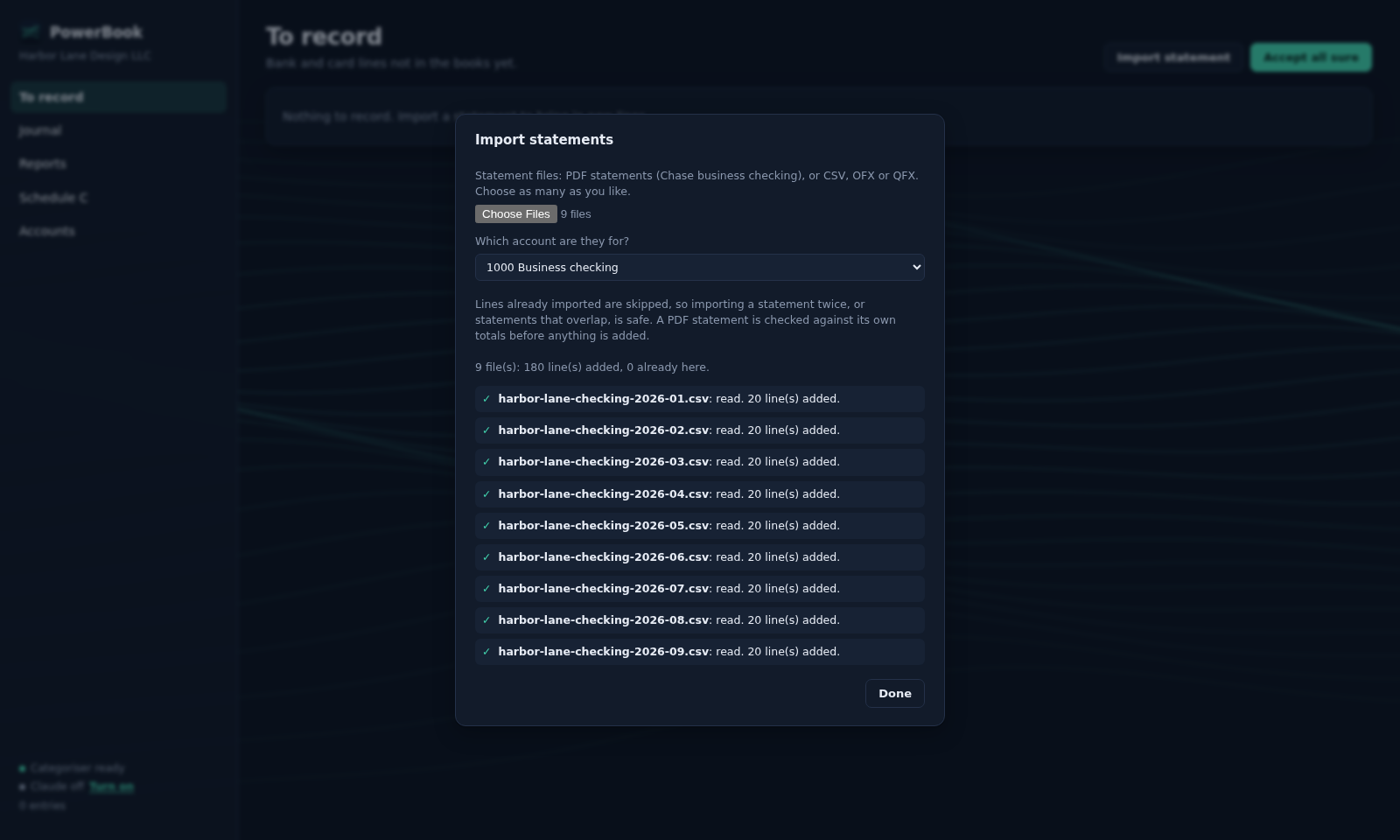
Choose as many statements as you like: PDF statements from Chase business checking, or CSV, OFX and QFX from any bank. A PDF is checked against its own totals before a line is added, so a statement is never imported short, and importing the same one twice adds nothing twice.
Record each line in a click
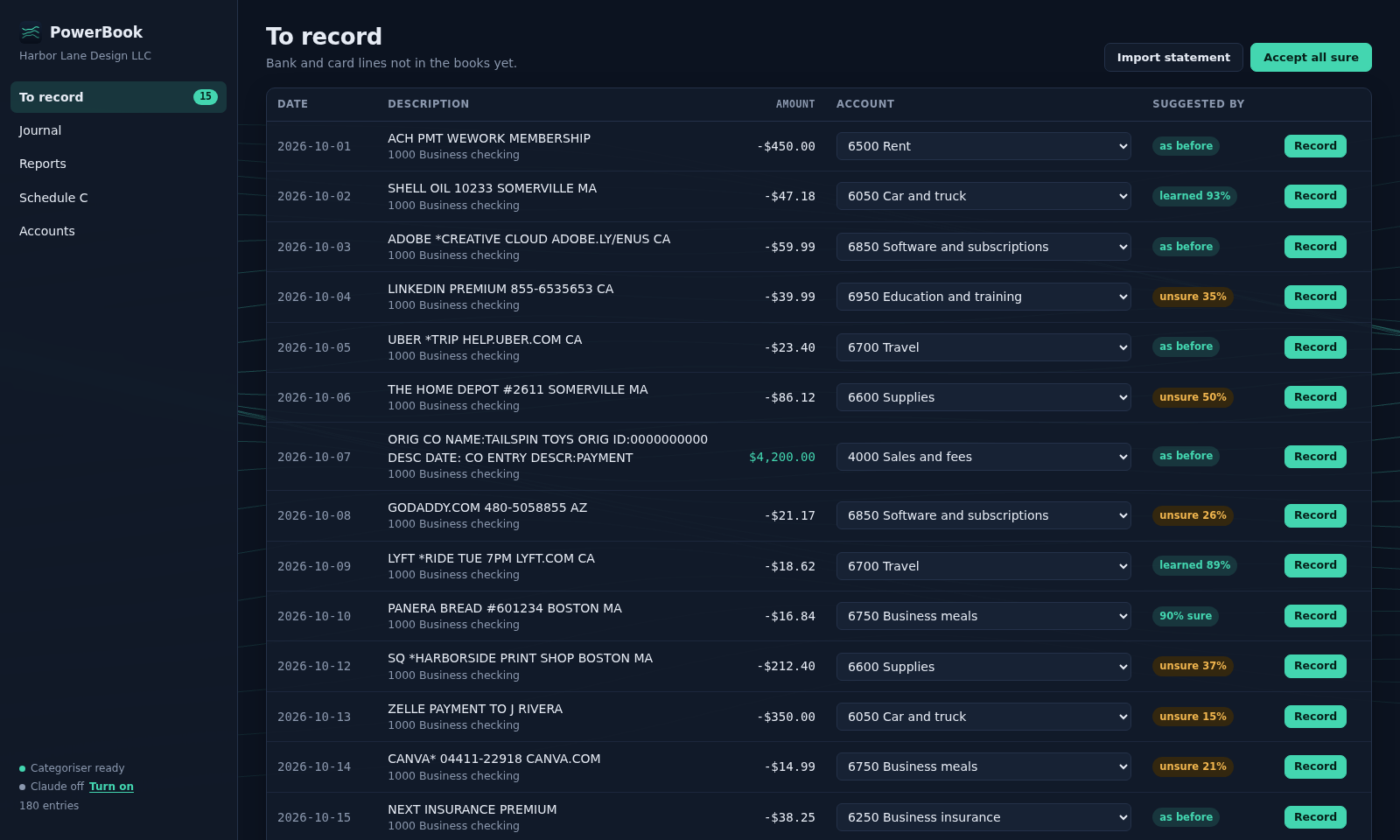
To record lists what is not in the books yet, each line with a suggested account and where the suggestion came from: a payee you filed before, what PowerBook learned from you, or the shipped model with how sure it is. Accept all sure records every line it is confident of at once.
Reports that come straight from the journal
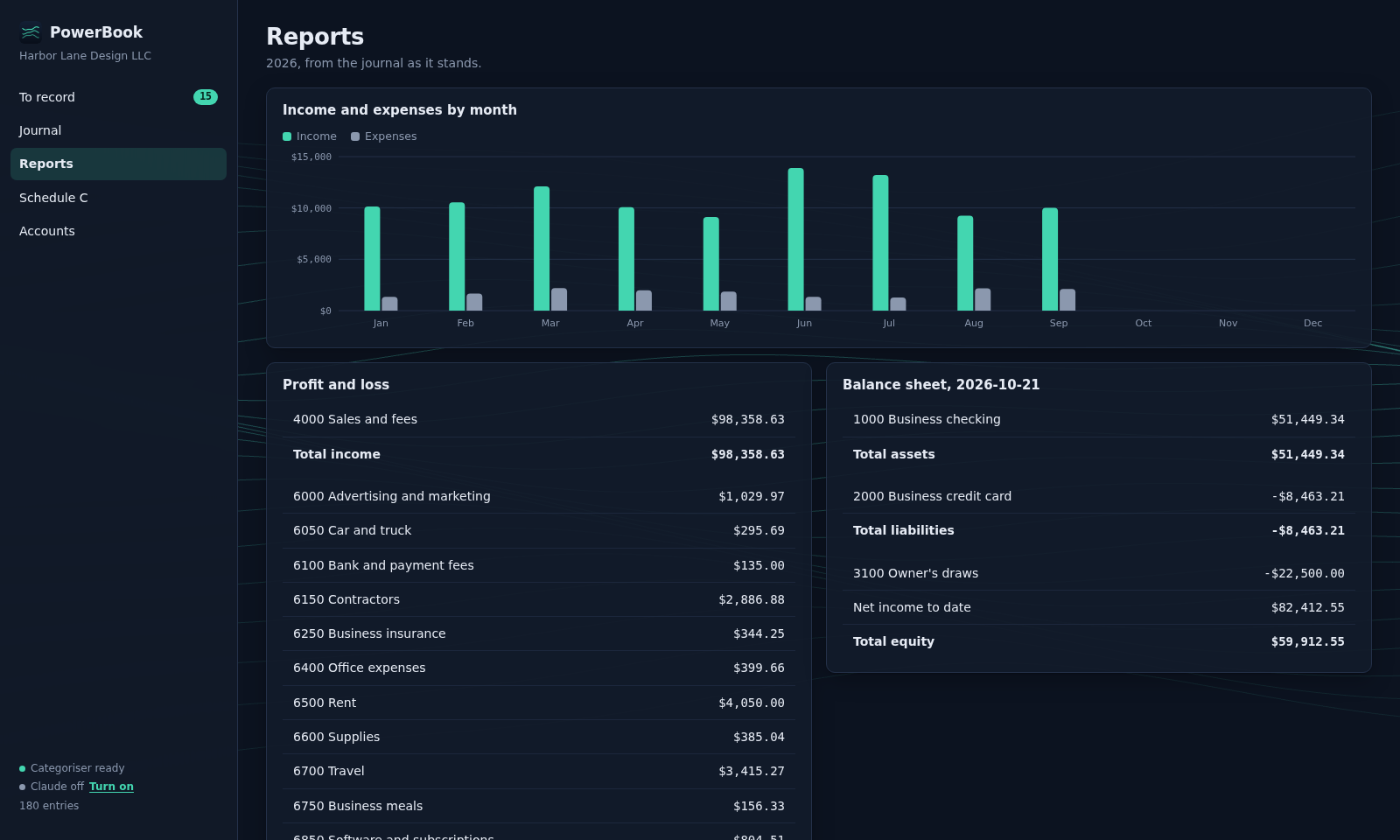
The profit and loss for any period, the balance sheet on any day, and every account's ledger with its running balance. They are worked out from the journal each time you open them, so they can never disagree with it.
Schedule C, line by line
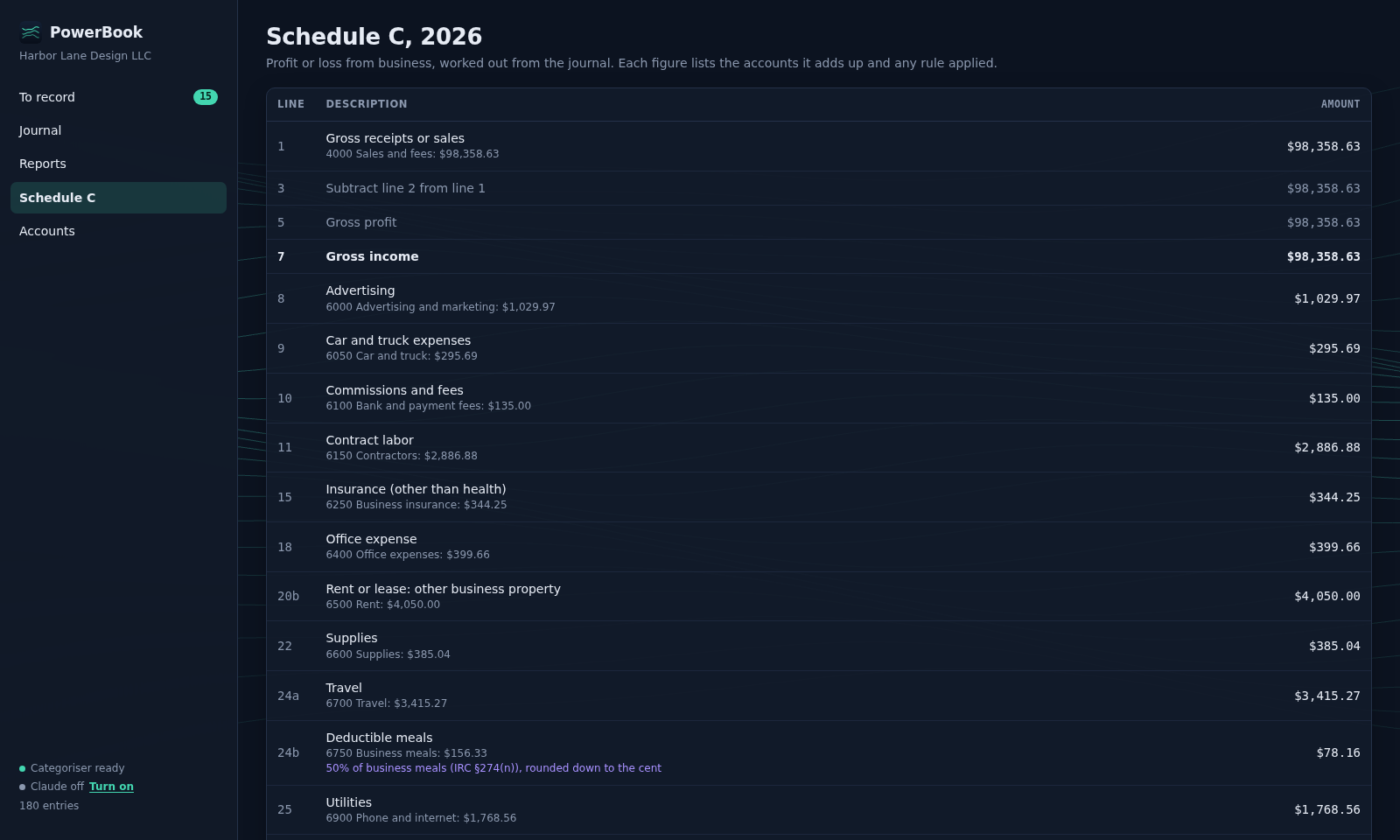
PowerBook works out Schedule C from the journal, and shows for each line the accounts it adds up and any rule it applied, such as business meals at 50%. Check it, then take the figures to your return or your accountant.
It learns
Next month, it already knows what you decided this month.
Every line you record teaches a model of your own, which retrains in a moment. We replayed four years of one freelancer's real bank statements through it, a month at a time, recording each month before importing the next.
Your books, yours
Nothing leaves your computer unless you turn it on.
No account, no cloud
PowerBook asks for no sign-in and syncs with nothing. Your ledger and your statements' lines are kept in a folder in your own Windows profile.
Claude only when you turn it on
With a free licence key turned on, a line both of PowerBook's models are unsure of is sent for a suggestion: which way the money went and its description, never the amount, the date or your balances. Turn it off and nothing about your books leaves the computer.
Nothing reporting back
The app has no analytics, no advertising, no crash reporting and no automatic updates.
Questions
What people ask first.
+What does it cost?
Nothing. PowerBook is free, and so is the licence key that lets it ask Claude about the lines it is unsure of: a year at a time, on up to three computers.
+Do I need to make an account?
No. You open it, name your business, and import a statement. The licence key, if you want one, is emailed to you; there is still no account.
+Which banks can I import from?
Any bank that exports CSV, OFX or QFX. PDF statements are read for Chase business checking, which offers business statements only as PDF; other banks' PDFs are to come.
+Where are my books kept?
In a folder in your Windows profile, on your computer. There is no copy anywhere else unless you back the folder up.
+Does it need the internet?
Only to download the categoriser model once, when you choose Install, and, if you turn it on, to ask Claude about a line. Everything else works without a connection.
+Does it file my taxes?
No. PowerBook keeps your books and works out the Schedule C figures, with where each came from. Checking them and filing your return are yours or your accountant's.
+Who is it for?
Freelancers and single-member LLCs in the United States who report on Schedule C.
+Which computers does it run on?
Windows 10 and 11, on x64 and Arm PCs. It is signed by Unidatum Integrated Products LLC, which Windows names as the publisher.
Start this year's books with last year's statements.
Install it, name your business, and import every statement you have in one go. It is free, and so is the key that lets it ask Claude.